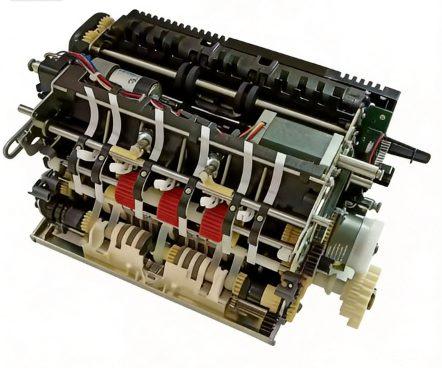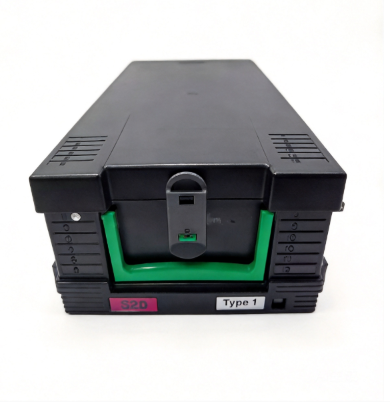
A card stuck in the throat of an ATM is one of the fastest ways to lose a customer's trust. The screen throws a "card retained" message. The phone rings. A technician has to explain to a bank branch manager why a machine that worked yesterday swallowed someone's debit card. Most of the time the problem is the card reader itself, and it is a part you can diagnose and replace.
This guide covers the three reader types you will actually see in the field, dip, motorized, and EMV, how each one fails, and how to decide between cleaning, repair, and replacement. It closes with the part numbers we stock across NCR, Wincor, and Hyosung.
1. Three Reader Types, Three Failure Profiles
Before you can diagnose a reader, you have to know which kind you are looking at. The failure patterns are different for each.
Dip reader (insert-and-pull). The customer pushes the card in and pulls it straight back out; the reader samples the stripe and chip during that single pass. No motor, no retention mechanism, mechanically the simplest reader. When it fails, it fails as a read error, not a jam. A worn or dirty head, a bent contact, a sensor that no longer sees the card enter.
Motorized reader. The machine takes the card in on rollers, holds it during the transaction, then returns it. Or retains it if the customer leaves without collecting it. This is the reader type that produces "card retained" calls, because it is the only one that physically holds the card. Rollers, belts, and the retention bin are all wear points.
EMV chip reader. The chip on a modern card is read through a set of spring-loaded gold-plated contact pins, not the magnetic head. These pins are the reader's most delicate surface. They oxidize, they lose their plating, and the springs lose tension over years of insertion cycles. If an EMV reader cannot read chips but still reads the stripe, it is almost always a contact problem, not the electronics.
A note that matters when you are buying. Many ATM card readers across brands trace back to the same specialist manufacturers, Nidec Sankyo being the most common. An "NCR reader" and a "Hyosung reader" can share a common origin. That is why one source can cover multiple brands without cross-compatibility guesswork.
2. Diagnosing the Failure You Are Facing
Work from symptom to cause. The order below reflects how often these land on a service desk.
2.1 Card retained / card jam (the #1 call)
The card goes in, the transaction completes or not, and the card never comes back. On a motorized reader this is the impound path. The reader pulls the card in, holds it through the transaction, then either returns it or drops it into a retention bin when the customer walks off without collecting it. That bin and its drive are exactly where retention faults live.
What to check first:
- The card path for debris, a bent card, or a foreign object — a sticky card, a label fragment, a torn corner.
- The rollers and drive belts for wear. A roller that has gone smooth cannot push the card back out; a stretched belt slips instead of driving.
- The retention bin and its sensor. A full or jammed retention bin will stop the return cycle and trigger a retained-card state.
- The reader shutter, if the model has one — a shutter that no longer opens is read by the customer as "the machine ate my card."
2.2 Read failure on the magnetic stripe
The card inserts, but the transaction fails with a read error.
What to check first:
- The magnetic head. Dust, oxide buildup, and wear are the three most common causes of stripe read failure. A head that has read hundreds of thousands of cards will eventually lose its sharp gap.
- The card itself — a demagnetized or low-coercivity card will fail even in a healthy reader, so confirm the card reads elsewhere before condemning the reader.
- Head alignment and the mounting springs. A head that has drifted out of position reads only part of the track.
A note on the "clean it and it works again" story. Entry sensors and read heads that are dirty produce false reads and false jams far more often than genuinely dead electronics. Regular cleaning meaningfully cuts that false-error rate. How often depends on the machine's location and transaction volume. Follow the OEM service manual for the interval, and clean more aggressively on high-traffic, dusty, or outdoor installs.
2.3 EMV chip read failure (the under-diagnosed one)
The stripe reads fine, but the machine reports a chip error, or the customer has to fall back to the stripe every time.
This is the section most generic guides skip. It is where a lot of money gets wasted replacing a perfectly good reader.
What to check first:
- The contact pins. Oxidized or worn gold plating is the leading cause of chip read failure. Clean the contacts first, a soft, dry clean, never abrasive.
- Pin spring tension. If a pin has lost its spring, it makes intermittent contact, and the transaction fails sporadically. That is the worst kind of failure to chase because it is not reproducible on the bench.
- The IC contact block itself. Where cleaning and spring checks do not restore reliable reads, the contact block is the replaceable unit, and it is far cheaper than the whole reader.
Replacing an entire motorized reader over oxidized chip contacts is a classic over-repair. Check the contacts before you quote a reader.
2.4 Card-not-detected
The machine does not acknowledge the card entering at all.
What to check first:
- The entry/position sensor. A failed sensor means the reader never knows a card arrived.
- Cabling and connectors between the reader and the control board — a loose harness presents exactly like a dead sensor.
2.5 Skimming protection
If the deployment is high-risk, the reader's anti-skim detection matters. Skim kits and bezel options add a detection layer for card-entry tampering. For financial institutions, this is a compliance and reputation issue, not an optional extra.
3. Replacement Decision: Clean, Repair, or Replace
A practical rule for the field.
- Clean first — if the failure is read errors or false jams and the head/contacts/sensors show dirt, clean and re-test. This resolves a large share of calls at zero part cost.
- Repair the sub-unit — a worn head, a failed contact block, a bad roller or belt are sub-unit repairs. If the reader is otherwise healthy, replace the sub-unit rather than the whole assembly.
- Replace the reader — when the motor is dead, the electronics are damaged, the reader has been physically damaged, or the unit is end-of-life and no longer worth reconditioning.
When you do replace, match the reader to the exact model and firmware generation of the machine. Reader generations do not always carry across model refreshes, so a part number that fits one SelfServ or ProCash build will not automatically fit the next.
4. Card Reader Part Numbers We Stock
The table below is the working shortlist for the readers covered in this guide. Full compatibility is confirmed per machine on request.
| Brand | Reader Type | Part Number | Notes |
|---|---|---|---|
| NCR | Motorized (MCRW) | 445-0723882 | NU-MCRW-3 Track HiCo + Smart, SelfServ 6622 / 6625 |
| NCR | Dip | 445-0723327 | ASSY DIP, green bezel |
| NCR | Motorized | 445-0664129 | 5886 / 5887 builds (58xx) |
| NCR | Motorized (IMCRW) | 445-0664132 | IMCRW 3-track HiCo + Smart, standard shutter, 58xx / Personas |
| NCR | Motorized (IMCRW) | 445-0704482 | U-IMCRW TK123 + Smart, standard shutter, SelfServ 66xx |
| NCR | Anti-skim (MEEI CCR) | 445-0756413 | MEEI CCR anti-skim / LED board assembly, NCR 6684 |
| Wincor | Motorized | 01750173205 | V2CU, ProCash |
| Wincor | Dip (hybrid) | 01750208512 | ICM330 Smart DIP (ICM330-3R1593 / IFM330-0400), mag + EMV |
| Wincor | Dip (hybrid) | 01750102140 | ICM330 family USB DIP (ICM330-3R1593 / IFM330-0300), mag + EMV |
| Hyosung | EMV | 50037A | Sankyo EMV reader — Hyosung / Genmega multi-model, model confirmed on request |
| Hyosung | Mag + chip | 5645000001 | Sankyo ICT3Q8-3A0260, Nautilus 5600 series |
For the exact build of your machine, model, firmware, bezel and harness requirements, send the part number or a photo of the reader label, and we confirm the match before you order. If you are running Wincor CMD-V4 machines, our CMD-V4 dispenser field guide covers the module side of those ATMs.
5. Why MicroLinkpro
We keep card readers across NCR, Wincor, and Hyosung on the shelf, sourced to original specifications. Because these readers share common specialist origins, we can cross-match brands without guessing. Our CTO has been on ATM hardware for 23 years. Our production processes align with ISO 9001-certified manufacturing practices. Every reader leaves tested, not just boxed.
6. FAQ
Q1. Why does my ATM keep retaining cards?
Start with the card path and the return mechanism — debris, a worn roller or stretched belt, or a jammed retention bin. A retained card is usually mechanical, not electronic.
Q2. What is the difference between a dip reader and a motorized reader?
A dip reader samples the card as the customer inserts and pulls it out; a motorized reader pulls the card in, holds it, and returns or retains it. Only motorized readers physically retain cards.
Q3. My reader reads the stripe but not the chip. Is it dead?
Probably not. Oxidized or worn contact pins and lost spring tension are the usual causes. Clean and check the contacts before replacing anything.
Q4. How often should I clean the card reader?
The interval depends on location and transaction volume. Follow your OEM service manual, and clean more often on high-traffic or dusty installs.
Q5. Can I replace just the read head or contact block instead of the whole reader?
Yes. A worn magnetic head, a failed IC contact block, a bad roller or belt are sub-unit repairs that cost far less than a full reader.
Q6. Are these readers compatible across NCR, Wincor, and Hyosung models?
Many readers share a common specialist origin, but part numbers do not carry across every model refresh. Match the exact model and firmware generation, and confirm with the supplier before ordering.
Q7. What is anti-skim protection, and do I need it?
Anti-skim detection watches the card-entry area for tampering devices. For financial institutions it is a compliance and reputation safeguard, not an optional extra.
Q8. How do I order the right card reader?
Send the machine model and firmware, or a photo of the reader label, and we confirm the exact part number and compatibility before you order.
Email: linda.zhou@microlinkpro.com
WhatsApp: +852 93572135
Website: microlinkpro.com
Last updated: 2026-08-26
Reviewed by: Max Liu, CTO (23 years ATM engineering)
Copyright Owned by Guangzhou MicroLinkpro Technology Co., Ltd.